Graphic Designing

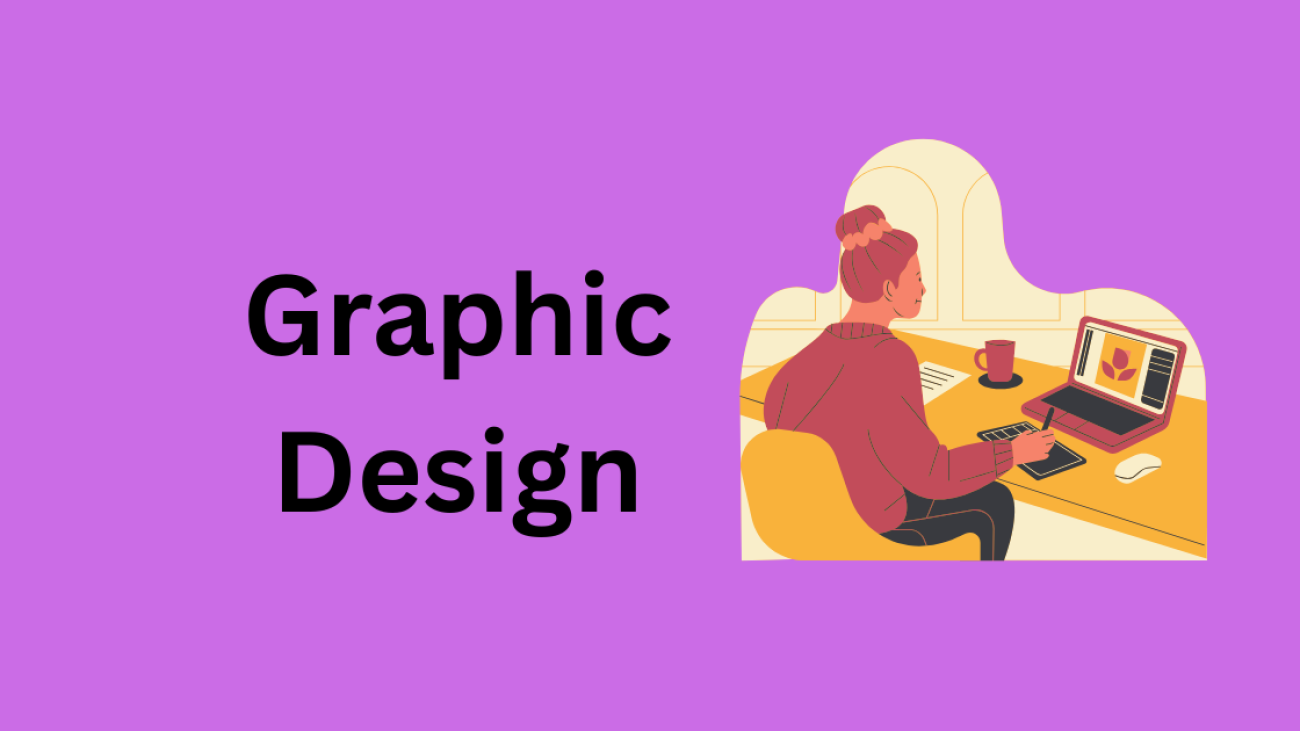
What is Graphic Designing? A Beginner’s Guide

Introduction

Hey there! Ever wondered what Graphic Designing really is? You see it everywhere – on your favorite website, the logo on your coffee cup, the flyer stuck on your car’s windshield. Graphic design is more than just pretty pictures; it’s the art of visual communication that conveys messages, evokes emotions, and solves problems through design. Whether you’re a complete beginner or just curious, this guide will walk you through everything you need to know to get started in graphic design.

Understanding Graphic Designing

So, what exactly is Graphic Designing? At its core, graphic design is the practice of creating visual content to communicate information or ideas. Think of it as a language made up of images, typography, colors, and layouts. Graphic designers use these elements to craft visuals that inform, engage, or persuade audiences.

Graphic design isn’t just about making things look nice – it’s about communicating effectively. Imagine trying to convey the mood of a horror movie poster using pastel colors and fluffy fonts. It wouldn’t work, right? Graphic Graphic Designing ensures that visuals align with the intended message.

Key Elements

Before diving into different types of graphic design, let’s quickly cover the basic building blocks:

  1. Line: Lines are the simplest form of design and can convey movement, structure, or direction.
  2. Shape: Shapes are the foundation of every visual. They can be geometric (circles, squares) or organic (fluid, natural).
  3. Color: Color is powerful. It evokes emotions, draws attention, and creates mood.
  4. Texture: Texture can be real or implied, adding depth and dimension to visuals.
  5. Space: Negative space or white space prevents designs from feeling cluttered and helps guide the viewer’s eye.
  6. Typography: Fonts speak their own language. Bold, minimal, fancy – typography can set the tone and style of your design.

Types of Graphic Designing

Now that you know the basics, let’s look at the main types of Graphic Designing:

  1. Visual Identity Design:
    • This involves creating logos, brand colors, typography, and other visual elements that define a brand’s personality. Think Nike’s swoosh or McDonald’s golden arches.
  2. Marketing & Advertising Design:
    • These are the posters, banners, social media graphics, and digital ads that grab your attention and promote products or services.
  3. Web & User Interface (UI) Graphic Designing:
    • Designing websites, apps, and digital interfaces that are visually appealing and easy to navigate.
  4. Print Design:
    • Brochures, magazines, business cards – anything that gets printed falls under this category.
  5. Motion Graphic Designing:
    • This includes animations, video graphics, and interactive content. Think social media ads with moving text and graphics.
  6. Packaging Design:
    • Packaging design isn’t just about making a product look good; it’s also about protecting it and making it stand out on the shelves.
  7. Environmental Design:
    • Designing physical spaces – like murals, exhibits, or wayfinding signage – to convey a specific atmosphere or message.

Essential Graphic Designing Tools and Software

Gone are the days of hand-drawing everything. Today, designers use powerful tools to bring their ideas to life. Here are some must-know tools:

  • Adobe Photoshop: Best for photo editing and digital artwork.
  • Adobe Illustrator: Ideal for creating vector graphics and logos.
  • Canva: A beginner-friendly tool with templates for everything from social media posts to flyers.
  • Figma: Excellent for UI/UX design and prototyping.
  • Procreate: A go-to for digital painting and illustrations.

Choosing the right tool depends on the type of project you’re working on. New to design? Start with Canva. Ready to go pro? Master Photoshop and Illustrator.

Basic Principles of Graphic Design

Great design doesn’t just happen – it’s built on a set of tried-and-true principles:

  1. Balance and Alignment: Ensures your design isn’t too heavy on one side or another. Think of it as visual stability.
  2. Contrast and Emphasis: Helps certain elements stand out by using differences in color, size, or font.
  3. Repetition and Consistency: Keeps the design cohesive and reinforces brand identity.
  4. Proportion and Scale: Ensures that the elements are sized appropriately and work well together.
  5. White Space and Composition: Less can be more. Space prevents clutter and directs the viewer’s eye to the key message.

Developing Graphic Design Skills

Anyone can learn graphic design, but it takes practice and patience. Here’s how to get started:

  • Learn the Basics: Take online courses or follow YouTube tutorials.
  • Build a Portfolio: Showcase your work, even if it’s personal projects or mockups.
  • Join Design Communities: Get feedback, collaborate, and stay inspired.
  • Practice Small Projects: Create social media posts, flyers, or simple logos to refine your skills.

Career Opportunities in Graphic Design

Graphic design isn’t just a creative hobby – it’s a booming industry with diverse career paths:

  • Freelance Designer
  • UI/UX Designer
  • Motion Graphics Artist
  • Branding Specialist
  • Print Designer

Whether you want to work for a company or go freelance, the opportunities are endless. The key is to specialize, build a portfolio, and keep learning.

Conclusion

Graphic design is more than just visuals – it’s a powerful tool for communication, branding, and storytelling. Whether you’re a newbie or looking to pivot into a design career, now’s the time to dive in. Start with the basics, experiment with different tools, and let your creativity lead the way. Ready to get started? Let’s design something amazing!

Career Switch to Digital Marketing in Kerala Your Ultimate Guide

Career Switch to Digital Marketing in Kerala: Your Ultimate Guide

Are you feeling stuck in your current job, yearning for a career that’s dynamic, creative, and future-proof? If you’re in Kerala, you’re in the perfect place to pivot into one of the fastest-growing industries today—digital marketing. With Kerala’s booming startup ecosystem, thriving IT hubs in Kochi, Thiruvananthapuram, and Kozhikode, and increasing internet penetration, the demand for skilled digital marketers is skyrocketing. Whether you’re a teacher, engineer, banker, or retail professional, career switching to digital marketing can open doors to exciting opportunities, flexibility, and financial growth.

In this comprehensive guide, we’ll walk you through why digital marketing is the ideal career switch in Kerala, the skills you need, actionable steps to transition, and how to stand out in this vibrant industry. Plus, we’ll share insider tips tailored to Kerala’s unique market and a powerful call-to-action to kickstart your journey. Let ’do a career switch


Why Digital Marketing is the Perfect Career Switch in Kerala

Kerala is no longer just the land of backwaters and coconut groves—it’s a digital hub in the making. Here’s why transitioning to digital marketing in Kerala is a smart move:

  1. High Demand for Digital Marketers
    Businesses in Kerala, from startups to established brands, are racing to establish their online presence. With 54% of Kerala’s population connected to the internet (approximately 18 million users), companies need professionals who can navigate social media, SEO, and paid ads to reach this audience. Roles like SEO specialists, content marketers, and social media managers are in constant demand.
  2. No Degree Barrier
    Unlike traditional careers that often require specific qualifications, digital marketing values skills and passion over formal education. Whether you’re a B.Com graduate or a professional with no tech background, you can break into this field with the right training and mindset.
  3. Lucrative Salaries and Growth
    In Kerala, digital marketing salaries are competitive. Freshers can earn ₹15,000–₹30,000 per month, while mid-level professionals make ₹35,000–₹75,000, and seniors can command ₹1,00,000+ monthly. With experience, you could even freelance or start your own agency, tapping into global markets.
  4. Work Flexibility
    Digital marketing offers remote work opportunities, a huge perk for Keralites balancing family responsibilities or preferring a work-from-home lifestyle. Many agencies in Kochi and Kozhikode offer hybrid models, and freelancing is a thriving option.
  5. Kerala’s Unique Market Advantage
    Kerala’s high literacy rate and tech-savvy youth make it a hotspot for innovative marketing campaigns. Local businesses, tourism boards, and e-commerce brands are leveraging digital platforms, creating a fertile ground for marketers who understand the pulse of God’s Own Country.

Understanding Digital Marketing: What’s It All About?

Before you leap, let’s demystify digital marketing. At its core, digital marketing involves promoting products or services through online channels like:

  • Search Engine Optimization (SEO): The art and science of boosting a website’s visibility so it climbs to the top of Google search results
  • Social Media Marketing (SMM): Engaging audiences on platforms like Instagram and LinkedIn.
  • Content Marketing: Creating blogs, videos, or infographics to attract customers.
  • Pay-Per-Click (PPC): Running targeted ads on Google or Facebook.
  • Email Marketing: Crafting personalized campaigns to nurture leads.
  • Analytics: Measuring campaign success using tools like Google Analytics.

As a digital marketer, you could specialize in one area or become a jack-of-all-trades. The beauty? Every skill is learnable, and Kerala’s digital ecosystem offers ample opportunities to practice and grow.


Is a Career Switch to Digital Marketing Right for You?

Switching careers can feel daunting, especially if you’ve spent years in a different field. Ask yourself these questions to gauge if digital marketing is your calling:

  • Do you enjoy creativity? Writing catchy social media posts or designing visuals is a big part of the job.
  • Are you curious about data? Analyzing what works (and what doesn’t) is key to success.
  • Do you adapt to change? Digital marketing evolves fast—new tools and trends emerge monthly.
  • Are you tech-savvy or willing to learn? Basic familiarity with online platforms is enough to start.
  • Do you want impact? Your campaigns can directly drive sales and brand growth.

If you nodded to most of these, digital marketing could be your ticket to a fulfilling career. And don’t worry—your past experience isn’t wasted. A teacher’s communication skills, an engineer’s problem-solving, or a salesperson’s persuasion can all shine in marketing.


Step-by-Step Guide to Switching to Digital Marketing in Kerala

Ready to make the leap? Here’s a roadmap tailored for aspiring digital marketers in Kerala:

Step 1: Assess Your Current Skills

Start by identifying transferable skills from your current job. For example:

  • Teachers: Great at explaining concepts—perfect for content creation or training clients.
  • Bankers: Analytical mindset—ideal for PPC or analytics roles.
  • Retail Workers: Customer-focused—strong for social media engagement.

Make a list of your strengths and how they align with digital marketing tasks. This will boost your confidence and help you pitch yourself to employers.

Step 2: Learn the Basics

You don’t need a fancy degree, but you do need knowledge. Start with these accessible learning options:

  • Online Courses: Platforms like Coursera, Udemy, or Kerala-based institutes like Aviv Digital (Calicut) and DMI (Kochi) offer beginner-friendly courses. Look for programs covering SEO, SMM, and Google Ads.
  • Free Resources: Blogs like HubSpot, Moz, and Neil Patel’s website are goldmines. YouTube channels like Simplilearn or Karikku’s digital insights can also spark ideas.
  • Local Workshops: Check for digital marketing meetups in Kochi’s Infopark or Trivandrum’s Technopark. Networking here can lead to mentorships.

Aim to spend 2–3 months building a foundation. Focus on practical skills—you’ll learn more by doing.

Step 3: Build Hands-On Experience

Theory alone won’t land you a job. Get your hands dirty with these strategies:

  • Start a Blog: Create a WordPress blog about a passion (say, Kerala’s food or travel). Practice SEO by optimizing your posts and track results with Google Analytics.
  • Run Social Media Pages: Manage Instagram or LinkedIn for a friend’s business or a local nonprofit. Experiment with hashtags and engagement tactics.
  • Volunteer: Offer to help a Kochi café or a Trivandrum boutique with their online presence. Real projects build your portfolio.
  • Freelance Gigs: Platforms like Upwork or LinkedIn can connect you to small projects, even as a beginner. Kerala businesses often seek affordable freelancers for social media or content.

Step 4: Create a Portfolio

Your portfolio is your ticket to interviews. Include:

  • Sample social media posts you’ve written.
  • A blog post optimized for SEO.
  • Screenshots of ad campaigns (even mock ones).
  • Analytics reports showing your impact (e.g., increased Instagram followers).

Host your portfolio on a free site like Wix or share it via Google Drive. Kerala employers value practical proof over flashy credentials.

Step 5: Get Certified

While not mandatory, certifications add credibility, especially for career switchers. Popular options include:

  • Google Ads and Analytics Certifications (free).
  • HubSpot Content Marketing Certification (free).
  • Facebook Blueprint (free).
  • Digital Marketing Courses from Kerala institutes like Toonz Academy or IPSR Solutions.

These signal to employers that you’re serious and up-to-date.

Step 6: Network Like a Pro

Kerala’s digital marketing community is tight-knit and welcoming. Here’s how to tap in:

  • LinkedIn: Optimize your profile with keywords like “digital marketing Kerala” and connect with professionals from agencies like SpiderWorks or Viral Mafia.
  • Events: Attend Startup Village events in Kochi or digital marketing webinars by Safalta.
  • Local Agencies: Reach out to firms in Kozhikode (e.g., Orexis) or Trivandrum for informational interviews. Many are open to mentoring newbies.

Networking isn’t just about jobs—it’s about learning what Kerala businesses need.

Step 7: Apply Strategically

Start with entry-level roles like Digital Marketing Executive or SEO Trainee. Check:

  • Job Portals: Indeed, Naukri, and Shine list hundreds of digital marketing jobs in Kerala.
  • Agency Websites: Companies like Hemito Digital (Kochi) or Blusteak (Kottayam) often post openings.
  • Freelance Platforms: Build credibility before aiming for full-time roles.

Tailor your resume to highlight transferable skills and portfolio projects. In interviews, emphasize your eagerness to learn and local market knowledge (e.g., Kerala’s preference for Instagram over Twitter).

Step 8: Stay Updated

Digital marketing never sleeps. Follow:

  • Kerala-based influencers like Karikku for social media trends.
  • Blogs like Social Media Examiner or Search Engine Journal.
  • Podcasts like “Marketing Over Coffee” for global insights.

Join WhatsApp or Telegram groups for Kerala marketers to share tips and job leads.


Overcoming Challenges as a Career Switcher

career switch isn’t all smooth sailing. Here’s how to tackle common hurdles:

  • Fear of Starting Over: You’re not starting from zero—your life experience is an asset. Focus on quick wins like a successful social media post to build momentum.
  • Lack of Tech Skills: Tools like Canva or Google Analytics are intuitive. Start small, and you’ll pick them up fast.
  • Competition: Kerala’s digital marketing scene is growing, but your unique background (e.g., tourism knowledge from working in Kumarakom) can set you apart.
  • Imposter Syndrome: Everyone feels like a newbie at first. Join online communities like Reddit’s r/digital_marketing to see others’ journeys.

Remember: Every expert was once a beginner. Persistence is your superpower.


Why Kerala is Your Launchpad

Kerala’s digital marketing scene has unique flavors that make it ideal for career switch

  • Tourism Boom: From Munnar homestays to Alleppey houseboats, tourism businesses need digital marketers to attract global travelers.
  • E-Commerce Growth: Local brands like Manorama Online and Mathrubhumi rely on digital ads to compete.
  • Cultural Nuance: Understanding Kerala’s love for festivals, food, and films gives you an edge in crafting relatable campaigns.
  • Startup Culture: Kochi’s Startup Village and Calicut’s UL CyberPark are breeding grounds for innovative marketing roles.

By blending global skills with local insights, you can become a sought-after marketer.


Success Stories to Inspire You

Need proof it’s possible? Meet these Keralites who career switched to digital marketing:

  • Asha, Ex-Teacher (Trivandrum): After 10 years teaching, Asha learned SEO via Udemy and now freelances for a Kochi travel agency, earning ₹40,000 monthly.
  • Vivek, Former Banker (Kozhikode): Vivek took a Google Ads course and landed a PPC role at Viral Mafia, doubling his salary in two years.
  • Priya, Retail Manager (Kochi): Priya started managing Instagram for a local boutique, built a portfolio, and now runs her own social media agency.

Their secret? They started small, stayed curious, and leveraged Kerala’s opportunities.


Tools to Master for Digital Marketing Success

To thrive, get comfortable with these beginner-friendly tools:

  • Canva: For creating stunning graphics.
  • Google Analytics: To track website performance.
  • Hootsuite/Buffer: For scheduling social media posts.
  • SEMrush/Moz: For SEO research.
  • Mailchimp: For email campaigns.

Most offer free versions—perfect for practicing.


Future-Proofing Your Digital Marketing Career switch

career switch to Digital marketing is evolving with AI, voice search, and video content. Stay ahead by:

  • Learning AI tools like ChatGPT for content ideation.
  • Exploring TikTok marketing (huge among Kerala’s youth).
  • Mastering video editing with tools like CapCut.

In Kerala, where 60% prefer cash-on-delivery for e-commerce, understanding local consumer behavior will keep you relevant.


Your Next Steps: Take Action Today!

You’ve got the roadmap—now it’s time to career switch act. Here’s your immediate action plan:

  1. Sign Up for a Free Course: Try Google’s Digital Garage or HubSpot Academy today.
  2. Start a Project: Create a blog or Instagram page this week to practice.
  3. Connect Locally: Join a Kerala digital marketing WhatsApp group or LinkedIn community.
  4. Build Your Portfolio: Aim to have 3–5 projects ready in 30 days.

Don’t let another day pass in a job that doesn’t spark joy. The career switch digital marketing world is waiting for you, and Kerala’s opportunities are ripe for the picking. Enroll in a beginner-friendly digital marketing course now—many are free or affordable! Visit Impasto to explore Kerala-based programs tailored to your goals. Take the first step today to career switch, and in just a few months, you could be crafting campaigns that captivate audiences and transform businesses. What’s stopping you? Start your digital marketing journey now!

digital marketing course in Kerala

Digital Marketing Course in Kerala – Overview, Modules, Benefits, Career Scope

Introduction

In today’s rapidly evolving digital landscape, businesses are shifting from traditional marketing to online platforms to reach a broader audience. This shift has sparked a tremendous demand for skilled digital marketers worldwide, and Kerala is no exception. With a growing number of startups, SMEs, and even traditional businesses embracing digital strategies, the demand for professionals who understand digital marketing intricacies is at an all-time high.

If you’re in Kerala and wondering whether digital marketing is a viable career path, the answer is a resounding yes. Whether you’re a student, job seeker, entrepreneur, or professional looking to upskill, a digital marketing course can open up numerous opportunities. This blog explores the ins and outs of pursuing a digital marketing course in Kerala, including what to expect, the benefits, and future career prospects.


What is Digital Marketing?

Digital marketing is the use of digital channels and technologies to promote or market products and services to consumers and businesses. It involves platforms like search engines, social media, email, websites, and mobile apps to connect with target audiences. Unlike traditional marketing, digital marketing allows real-time analytics, precise targeting, and better ROI tracking.

Key components of digital marketing include:

  • Search Engine Optimization (SEO)
  • Search Engine Marketing (SEM)
  • Content Marketing
  • Social Media Marketing (SMM)
  • Email Marketing
  • Web Analytics
  • Affiliate Marketing
  • Mobile Marketing

Each component plays a unique role in crafting a comprehensive digital marketing strategy.


Why Choose a Digital Marketing Course in Kerala?

1. Growing Digital Ecosystem

Kerala has witnessed a boom in IT parks, startups, and digital agencies. Cities like Kochi, Trivandrum, and Calicut are becoming hotbeds for innovation and entrepreneurship, making the demand for digital marketing professionals soar.

2. Affordable Education

Kerala stands out by providing high-quality education at a significantly lower cost than most metropolitan cities

3. Remote Work Opportunities

Kerala’s high literacy rate and strong internet penetration have fostered a culture of freelancing and remote work. A digital marketing skillset allows professionals to work with national and international clients from the comfort of their hometown.

4. Access to Skilled Trainers

Many digital marketing institutes in Kerala are run by industry veterans who bring years of practical experience to the classroom. This blend of theoretical knowledge and hands-on exposure is crucial for mastering digital marketing.


Course Overview

Digital marketing programs in Kerala are tailored to suit learners from diverse backgrounds and skill levels. Whether you’re a beginner or someone with prior marketing experience, these courses are structured to build foundational knowledge and advance it through practical projects.

Course Structure:

  • Duration: 3 to 6 months (can vary depending on depth and format)
  • Format: Classroom, online, hybrid
  • Certifications: Google Ads, HubSpot, Meta Blueprint, etc.
  • Eligibility: No specific academic background required; a basic understanding of the internet and English is usually sufficient.

Who Can Enroll?

  • Students
  • Job seekers
  • Working professionals
  • Business owners
  • Freelancers

Key Modules Covered in the Course

  1. Search Engine Optimization (SEO)
    • On-page and off-page optimization
    • Keyword research
    • Technical SEO
    • Tools: Google Search Console, SEMrush, Ahrefs
  2. Search Engine Marketing (SEM)
    • Google Ads campaign creation
    • PPC strategies
    • Ad copywriting
    • Budget management
  3. Social Media Marketing (SMM)
    • Facebook, Instagram, LinkedIn, Twitter marketing
    • Paid vs. organic strategies
    • Community management
    • Tools: Hootsuite, Buffer, Meta Business Suite
  4. Content Marketing
    • Blogging
    • Video marketing
    • Infographics and visual content
    • Storytelling and audience engagement
  5. Email Marketing
    • Campaign creation
    • List segmentation
    • A/B testing
    • Tools: Mailchimp, ConvertKit
  6. Web Analytics
    • Google Analytics
    • Performance tracking
    • Conversion rate optimization (CRO)
  7. Affiliate Marketing
    • Choosing affiliate programs
    • Promoting products/services
    • Earning through commission
  8. Mobile Marketing
    • SMS marketing
    • In-app advertising
    • Mobile user behavior analysis
  9. Digital Strategy & Planning
    • Creating integrated campaigns
    • Budgeting and ROI calculation
    • Marketing funnel concepts

Benefits of Taking a Digital Marketing Course

1. High Demand and Job Security

With businesses moving online, digital marketing is one of the fastest-growing job sectors. Having these skills ensures better job security and growth.

2. Versatile Career Options

Digital marketing isn’t confined to one industry. From fashion to finance, education to e-commerce, every sector needs digital marketers.

3. Freelancing and Entrepreneurship

The skills acquired can help launch your own digital marketing agency, consultancy, or freelance career.

4. Work Flexibility

Work from home, remote gigs, part-time roles, or full-time positions – digital marketing offers unmatched flexibility.

5. Cost-Effective Learning

Most courses are affordably priced, and you often get access to free tools and certifications.

6. Performance-Based Growth

Digital marketing is a results-driven field. With measurable KPIs, your growth depends on your performance, not just seniority.


Career Scope and Opportunities in Kerala

1. Job Roles You Can Explore

  • SEO Specialist
  • Content Marketer
  • PPC Analyst
  • Social Media Manager
  • Digital Marketing Executive
  • Email Marketing Specialist
  • Web Analyst
  • Digital Strategist

2. Industries Hiring in Kerala

  • IT and Software Companies
  • Tourism and Hospitality
  • Education and EdTech
  • Healthcare
  • Retail and E-commerce
  • Real Estate

3. Expected Salary Range

  • Freshers: INR 15,000 to 25,000/month
  • Mid-Level: INR 30,000 to 60,000/month
  • Senior Roles: INR 80,000+/month or more depending on expertise and portfolio

4. Freelancing and Global Opportunities

Platforms like Upwork, Fiverr, and Freelancer offer Kerala-based marketers the chance to work with global clients, often earning in USD.

5. Case Studies of Success

Several young professionals from Kerala have launched successful digital marketing consultancies or landed international roles after completing local courses.


Best Places to Learn Digital Marketing in Kerala

  1. Digital Skill Master (Kochi)
    • Founded by digital marketing expert Tony John
    • Offers certification, practical exposure, and internship support
  2. IPCS Digital (Multiple Locations)
    • Provides advanced modules and international certifications
    • Classroom and online options available
  3. Areva Digital (Trivandrum, Kochi, Calicut)
    • Offers specialized training in SEO, SEM, and Analytics
    • 100% placement support
  4. AVIV Digital (Calicut)
    • Agency-based training
    • Hands-on experience and live projects
  5. IIDM Pvt Ltd (Kochi)
    • One of the oldest institutes in Kerala
    • Offers weekend and fast-track batches

When selecting an institute, consider factors such as faculty experience, placement support, course reviews, and access to tools.


Conclusion

Digital marketing is not just a buzzword – it’s a booming career field that offers vast opportunities for growth, creativity, and independence. For aspiring marketers in Kerala, the timing couldn’t be better. With the right training and commitment, you can carve out a rewarding career path in this dynamic industry.

Whether you want to work for a company, become a freelancer, or start your own business, digital marketing skills will be your biggest asset. Enroll in a course that suits your goals, gain hands-on experience, and get ready to thrive in the digital world.


Call to Action

Got questions about digital marketing courses in Kerala? Drop them in the comments below or get in touch for personalized course recommendations. And if you found this guide helpful, don’t forget to share it with someone who might benefit!

Graphic Designer tools

Best Tools for Graphic Designers to Learn as a Beginner in 2025

If you’re just getting started on your graphic design journey, one of the biggest challenges is knowing which tools to learn first. With so many apps, platforms, and software options out there, it can feel overwhelming. But don’t worry—we’ve got you covered.

In this comprehensive guide, we’ll walk you through the best tools for beginner graphic designers in 2025. Whether you’re aiming to become a professional designer or just want to explore your creative side, these tools will help you build a strong foundation.


Why Choosing the Right Tools Matters

Graphic design is a combination of creativity and technical skill. Having the right tools helps you:

  • Learn essential design principles faster
  • Practice with industry-standard software
  • Create projects that look polished and professional
  • Build a competitive portfolio

Starting with the right software will save you time, money, and a lot of frustration down the road.


Key Areas of Graphic Design and the Best Tools for Each

Graphic design isn’t just one skill—it’s a set of disciplines. Each has its own preferred tools. Let’s break them down:

1. Raster Design (Photo Editing and Digital Art)

Best Tool: Adobe Photoshop

Photoshop remains the industry leader for raster design. It’s perfect for editing photos, creating digital artwork, and even basic animation.

Why it’s great for beginners:

  • Tons of tutorials available
  • Easy to find templates and assets
  • Integrates well with other Adobe apps

Free alternatives:

  • Photopea (browser-based Photoshop alternative)
  • GIMP (open-source, slightly steeper learning curve)

2. Vector Design (Logos, Icons, Illustrations)

Best Tool: Adobe Illustrator

Vector graphics are essential for branding, print materials, and illustrations.

Why it’s great for beginners:

  • Precise design tools for scalable graphics
  • Clean, user-friendly interface
  • Massive library of shapes, brushes, and fonts

Free alternatives:

  • Inkscape (great open-source alternative)
  • Vectornator (macOS/iPad-friendly)

3. Layout Design (Print and Digital Publications)

Best Tool: Adobe InDesign

InDesign is your go-to for multipage layouts like brochures, magazines, and eBooks.

Why it’s great for beginners:

  • Drag-and-drop page building
  • Master page templates for efficiency
  • Fine-tuned text and paragraph control

Alternative:

  • Affinity Publisher (one-time purchase, beginner-friendly)

4. Online Graphic Design (Social Media, Presentations)

Best Tool: Canva

Canva is perfect if you’re looking for a simple, no-fuss way to make great designs.

Why it’s great for beginners:

  • Easy drag-and-drop editor
  • Thousands of templates for all design needs
  • Free plan is very generous

Pro tip: Use Canva to build confidence, then gradually explore more advanced tools like Photoshop or Illustrator.

5. UI/UX Design (Web and App Interfaces)

Best Tool: Figma

Figma has emerged as a top choice among UI/UX designers for its versatility and ease of use. It’s browser-based, collaborative, and free for individuals.

Why it’s great for beginners:

  • No installation needed
  • Real-time collaboration
  • Free access with powerful features

Alternative:

  • Adobe XD (integrates with other Adobe tools, slightly more advanced)

6. Digital Drawing and Illustration

Best Tool: Procreate (for iPad users)

Procreate is beloved by illustrators for its natural drawing feel and intuitive UI.

Why it’s great for beginners:

  • One-time purchase, very affordable
  • Easy to use from day one
  • Massive brush library and time-lapse recording

Alternatives:

  • Krita (free and open-source)
  • Autodesk SketchBook (free for individuals)

7. Bonus: Video and Motion Graphics

Even as a graphic designer, you might want to add motion or video editing to your skill set.

Tools to explore:

  • Blender (3D design, animation)
  • Adobe After Effects (motion graphics)
  • DaVinci Resolve (video editing, color correction)

How to Choose the Right Tool for You

With so many options, how do you pick the right tool to start with? Ask yourself:

  • What kind of design do I want to do? (e.g., digital art, branding, UI design)
  • What device am I using? (e.g., Windows PC, Mac, iPad)
  • What’s my budget?
  • Do I prefer simple interfaces or professional-grade complexity?

Start with one or two tools based on your goals, then branch out as you grow.


Best Practices for Learning Design Tools

Here are some ways to make your learning journey easier and more effective:

1. Follow Tutorials and Courses

  • YouTube: Free, visual learning
  • Platforms like Skillshare, Coursera, or LinkedIn Learning

2. Do Practice Projects

  • Redesign a famous logo
  • Create a fake client brief and build branding for it
  • Design your resume or portfolio

3. Join Communities

  • Reddit communities like r/graphic_design or r/design_critiques
  • Discord servers for design learners
  • Share your work and ask for feedback

4. Stay Consistent

  • Set a weekly design challenge
  • Follow trending design styles
  • Don’t be afraid to experiment

Final Thoughts

As a beginner graphic designer, your toolkit will shape your journey. The tools mentioned above are not only beginner-friendly but also powerful enough to grow with you as you gain experience.

Start with what feels intuitive, stay curious, and don’t rush the learning process. Embarking on graphic design is a creative expedition, where real growth comes from experimenting, creating, and learning through action.

So open that app, grab your digital brush, and start creating!

Photoshop

A Beginner’s Guide to Photoshop: Learn the Basics

Introduction: Why Learn Photoshop?

In today’s visually driven world, having the ability to edit images, design graphics, and create visual content is an essential skill. Whether you’re a student, marketer, content creator, entrepreneur, or aspiring designer, learning Photoshop can give you a significant edge.

Adobe Photoshop stands as the leading software choice for professionals in image editing, graphic design, and digital illustration. With countless features and possibilities, it can seem overwhelming at first. That’s where this Photoshop basic guide comes in — to help beginners navigate and master the core functionalities of Photoshop without confusion.

In this comprehensive tutorial, we’ll cover everything from setting up your workspace to using essential tools, working with layers, editing photos, and exporting your final design. By the end of this blog post, you’ll have a solid foundation in Photoshop and the confidence to begin your creative journey.


Chapter 1: What is Photoshop?

Adobe Photoshop is a powerful software developed by Adobe Inc., primarily used for photo editing, digital painting, and graphic design. Originally released in 1988, it has evolved into a comprehensive tool used by professionals across industries — from photographers and web designers to illustrators and marketers.

Key Uses :

  • Photo Editing: Retouch, color correct, and manipulate photos.
  • Graphic Design: Create logos, flyers, posters, and digital art.
  • Web Design: Design user interfaces, icons, and layouts.
  • Social Media Content: Craft visually engaging posts and ads.
  • Digital Painting: Use brushes and layers to draw or paint.

No matter your background, learning the basics of Photoshop opens up endless creative possibilities.


Chapter 2: Getting Started with Photoshop

Before diving into tools and functions, it’s essential to understand how to navigate the Photoshop workspace.

Setting Up :

Once you launch it, you’ll see a default interface that includes:

  • Menu Bar (top): File, Edit, Image, Layer, Select, etc.
  • Tool Panel (left): Contains all the editing tools.
  • Options Bar (top, below the menu): Changes depending on selected tool.
  • Layers Panel (right): Displays and organizes your design elements.
  • Canvas/Workspace: The central area where you create your design.

As a beginner, you can use the “Essentials” workspace, which is preset to display the most commonly used tools and panels.


Chapter 3: The Photoshop Toolbox – Must-Know Tools

Mastering tools is the heart of understanding Photoshop basics. Let’s explore the key tools every beginner should know.

1. Move Tool (V)

Used to move elements around your canvas.

2. Marquee Tool (M)

Makes rectangular or elliptical selections.

3. Lasso Tool (L)

Freehand selection for cutting or editing parts of an image.

4. Crop Tool (C)

Trim or resize your canvas.

5. Brush Tool (B)

Paint with various brush styles and sizes.

6. Eraser Tool (E)

Erase parts of a layer.

7. Text Tool (T)

Add and style text.

8. Eyedropper Tool (I)

Pick up color from any part of your image.

9. Zoom Tool (Z)

Zoom in and out to work on details.

These tools form the foundation of the Photoshop basic guide, and you’ll find yourself using them frequently in any project.


Chapter 4: Working with Layers

Understanding layers is essential in Photoshop. Layers allow you to work on different parts of your project separately, giving you complete control over your design.

What are Layers?

Imagine layers as clear, stackable sheets where each one holds a different part of your design, allowing you to edit elements independently. You can edit, rearrange, hide, or delete individual layers without affecting the rest of the design.

Key Layer Features:

  • New Layer: Creates a new blank layer.
  • Duplicate Layer: Creates a copy of an existing layer.
  • Visibility (Eye Icon): Hide or show a layer.
  • Layer Mask: Apply non-destructive editing to specific parts of a layer.
  • Groups: Organize multiple layers together.

Learning how to manage layers properly is a crucial part of basic design guide


Chapter 5: Basic Photo Editing Techniques

Photo editing is one of the main reasons people use Photoshop. Here are some beginner-friendly edits you can start with:

1. Cropping and Resizing

Use the Crop Tool to trim images and change aspect ratios. Use Image > Image Size to resize your photo.

2. Adjusting Brightness and Contrast

Go to Image > Adjustments > Brightness/Contrast to quickly enhance image lighting.

3. Color Corrections

Use Hue/Saturation and Color Balance tools to adjust tones.

4. Removing Unwanted Objects

Use the Spot Healing Brush Tool to remove blemishes, dust, or even entire objects.

5. Applying Filters

Explore Filter > Filter Gallery to add creative effects like blur, sketch, or artistic touches.

By learning these basic edits, you’ll quickly start to feel comfortable using it.


Chapter 6: Adding Text and Typography

Text is a core element in many Photoshop projects like posters, ads, and social media graphics.

How to Add Text:

  1. Select the Text Tool (T).
  2. Simply click on your canvas to create a text box and begin typing your content.
  3. Use the top toolbar to change font, size, color, alignment, and spacing.

Adding Text Effects:

  • Drop Shadows
  • Stroke (Outline)
  • Gradient Fill
  • Warp Text

Typography can elevate your design, giving you full creative freedom to style text any way you want.


Chapter 7: Understanding Brushes and Colors

Brushes aren’t just for painting—they’re also great for retouching, masking, and adding texture.

Using Brushes:

  • Select the Brush Tool (B).
  • Choose a brush type, size, and hardness in the top toolbar.
  • You can install custom brushes or create your own.

Color Tools:

  • Foreground/Background Colors: Located at the bottom of the tool panel.
  • Color Picker: Choose precise colors manually or with the eyedropper.
  • Gradient Tool: Create smooth color transitions.
  • Swatches Panel: Save and reuse color palettes.

Understanding color theory and using brushes creatively is an essential skill in your basic guide journey.


Chapter 8: Smart Layers, Masks, and Adjustment Layers

To go a step beyond the basics, you need to understand how non-destructive editing works in Photoshop.

Smart Objects:

Convert layers into smart objects to preserve original quality when transforming or editing.

Layer Masks:

They enable you to show or conceal specific areas of a layer non-destructively, making them ideal for seamlessly blending images or applying creative visual effects.

Adjustment Layers:

Add brightness, hue, levels, or color effects as a separate layer. You can change or remove them anytime.

These tools give you more flexibility and control, especially as your projects become more advanced.


Chapter 9: Exporting Your Work

After completing your project, it’s time to save and export it correctly.

Saving:

  • Save as PSD to retain layers for future editing.
  • Use File > Save As to save in PSD format.

Exporting:

  • File > Export > Export As allows you to save for web or print.
  • Choose JPEG for photographs, PNG for transparent images, and PDF for print-ready designs.

Make sure to export your file in the correct size and resolution based on your platform (web, social media, print).


Chapter 10: Common Beginner Mistakes to Avoid

Learning Photoshop is a process. Let’s look at some common mistakes beginners should avoid:

  1. Not Using Layers Properly
  2. Overusing Filters and Effects
  3. Forgetting to Save Frequently
  4. Ignoring Image Resolution
  5. Working Without Shortcuts

By avoiding these mistakes, your learning curve will be much smoother.


Chapter 11: Practice Projects for Beginners

To master Photoshop, hands-on practice is key. Here are a few beginner projects:

  • Design a Social Media Post
  • Retouch a Portrait Photo
  • Create a Simple Poster or Flyer
  • Make a Digital Collage
  • Design a Logo (Basic Version)

As you follow this Photoshop basic guide, complete one project each week to build confidence.


Chapter 12: Resources to Keep Learning .

Learning doesn’t stop after one tutorial. Keep improving your skills with these resources:

YouTube Channels:

  • Photoshop Training Channel
  • PiXimperfect
  • Tutvid

Online Courses:

  • Adobe Photoshop on Skillshare
  • Photoshop for Beginners on Udemy
  • Adobe’s Official Learn & Support page

Communities:

  • Reddit’s r/photoshop
  • Adobe Creative Cloud forums
  • Behance for inspiration

Consistency and practice are key to mastering Photoshop.

Conclusion: Start Your Photoshop Journey Today

Congratulations! You’ve just completed a thorough basic guide designed specifically for beginners. You’ve learned how to navigate the interface, use essential tools, edit photos, add text, work with layers, and export your work.

it is a vast software, and this guide covers only the beginning. But with what you’ve learned, you’re well-equipped to start experimenting, practicing, and creating. Keep learning, keep designing, and most importantly — have fun with it.

Ready to create your first design? Open Photoshop and start now. Your creativity has no limits!


FAQs – Photoshop Basics for Beginners

1. Is Photoshop free to use?
No, Adobe Photoshop is a paid software. That said, Adobe provides users with a 7-day trial period to explore Photoshop’s features at no cost.

2. Can I use Photoshop without internet access?
Yes, once installed and activated, you can use it in offline.

3. What version of Photoshop is best for beginners?
The latest version of Adobe Photoshop CC is ideal, but older versions like CS6 are still useful for learning the basics.

4. Is Photoshop hard to learn?
It can feel overwhelming initially, but with guides like this and consistent practice, anyone can learn.

Add a heading (3)

How to Write Compelling Social Media Captions That Drive Engagement

In today’s fast-paced digital world, capturing attention on social media is tougher than ever. While eye-catching visuals play a big role, it’s the social media caption that often makes or breaks your post’s engagement. A well-crafted caption can hook your audience, build emotional connection, and drive actions like likes, comments, shares, or even sales.

But writing great captions isn’t just about being witty or trendy. It’s about understanding your audience, platform, and brand voice—and then delivering value, inspiration, or entertainment in just a few lines.

This guide breaks down everything you need to know about writing compelling social media captions that engage, convert, and grow your audience.

1. What is a Social Media Caption?

A social media caption is the text that accompanies your photo, video, or graphic on social platforms. It’s your opportunity to give context, tell a story, ask a question, or prompt an action.

Captions can be:

  • Informative: “We’re launching our new product next week. Stay tuned!”
  • Emotional: “Behind each smile lies a story the world has yet to hear.”
  • Entertaining: “POV: It’s Monday, your alarm won the battle, and your coffee’s still loading…”
  • Promotional: “Get 20% off all items. Today only!”

Whether you’re posting on Instagram, Facebook, Twitter (now X), or LinkedIn, your social media caption should align with your goal for that post.


2. Why Social Media Captions Matter

Captions aren’t just fluff. They play a critical role in content performance by:

  • Increasing engagement: Posts with relevant captions receive more likes, comments, and shares.
  • Driving action: A well-placed CTA can lead users to visit your website or make a purchase.
  • Enhancing storytelling: Captions help you communicate your brand’s voice and story.
  • Improving discoverability: Using keywords and hashtags in your social media caption helps users find your content.

In a world of scrolling thumbs, your caption could be the hook that stops users in their tracks.


3. The Psychology Behind Great Captions

A compelling social media caption taps into human emotions, curiosity, and desires. Here are a few psychological principles that work:

  • Curiosity Gap: Tease information to make users want more.
    Example: “What happens next will totally surprise you…
  • FOMO (Fear of Missing Out): Spark a sense of urgency by highlighting what they might miss if they don’t act fast.
    Example: “Limited spots available—book yours now!”
  • Emotional Triggers: Use storytelling to inspire, motivate, or relate.
  • Social Proof: Reference how others are engaging with you.
    Example: “Be part of the 10,000+ who’ve already taken the leap—join us today!”

Understanding your audience’s psychology allows you to create a deeper connection through your captions.


4. Key Elements of a Compelling Social Media Caption

Let’s break down the building blocks of a powerful caption:

1. The Hook (First Line)

  • Make it attention-grabbing.
  • Use strong language or a surprising statement.
  • On platforms like Instagram, the first line is often what users see before they click “More.”

2. The Body

  • Give context or tell a short story.
  • Infuse your unique brand personality into every caption.
  • Break up text with line spacing and sprinkle in emojis to enhance clarity and engagement.

3. Call-to-Action (CTA)

  • Encourage your audience to do something: like, comment, share, visit a link, tag a friend.

4. Hashtags

  • Increase discoverability.
  • Keep them relevant and avoid spammy overload.

5. Emojis

  • Add flair and tone to your social media caption.
  • Use them sparingly and appropriately.

5. How to Write for Different Platforms

Each platform has its own audience behavior and best practices.

Instagram

  • Ideal for storytelling and emotion.
  • Break up your text with line spaces and sprinkle in emojis to make your caption easier to read and more visually appealing.
  • Include relevant hashtags (5–10 is ideal).

Facebook

  • More conversational and community-driven.
  • Long-form captions work well with storytelling.
  • Include questions to boost comments.

Twitter/X

  • Short and punchy (280 characters max).
  • Use witty one-liners or bold statements.
  • Incorporate trending hashtags strategically.

LinkedIn

  • Professional and value-driven.
  • Share industry insights, opinions, or behind-the-scenes.
  • Avoid slang; focus on clarity and credibility.

6. Proven Caption Formulas That Work

1. Ask a Question

“What’s your favorite productivity hack? Tell us below 👇”

2. Start with a Quote

“‘Creativity takes courage.’ — Henri Matisse
Here’s how we spark creativity every Monday…”

3. Use a List Format

“3 reasons why you need a content calendar:

  1. Stay consistent
  2. Save time
  3. Improve results”

4. Tell a Mini Story

“It all started with a tipped-over coffee and an unexpected burst of creativity—that was the moment everything changed.”

5. Offer Value

“Did you know? Posting between 9 AM–11 AM gets 2x more engagement.”

By mixing and matching these formulas, your social media caption will never feel stale.


7. Powerful CTA Ideas to Encourage Interaction

A strong call-to-action can multiply your engagement.

Here are 15 CTA ideas to inspire your next caption:

  1. “Tag a friend who needs this!”
  2. “Double tap if you agree!”
  3. “Drop your thoughts below 👇”
  4. “Hit the link in our bio to explore everything you need to know!”
  5. “Save this for later!”
  6. “Swipe to see the transformation.”
  7. “What do you think? Comment below!”
  8. “Share this with someone who’d love it!”
  9. “Want more tips like this? Follow us!”
  10. “Guess the answer in the comments!”
  11. “Vote with emojis: ❤️ or 🔥?”
  12. “Tell us your story.”
  13. “Which one is your favorite?”
  14. “Can you relate? Let us know!”
  15. “Ready to take the next step? Let’s go 👉”

Always align your CTA with the goal of the post.


8. Common Mistakes to Avoid

Even the most seasoned marketers make mistakes with captions. Watch out for these:

  • Too vague: Captions that don’t clearly communicate your message fall flat.
  • No CTA: Always guide your audience on what to do next.
  • Overuse of hashtags/emojis: This can come off as spammy or cluttered.
  • Ignoring your audience: Use language and tone that resonates with your followers.
  • Being overly promotional: Balance selling with storytelling and value.

A great social media caption should feel human, not like an ad script.


9. Tools to Help You Write Better Captions

There are many tools to streamline your caption-writing process:

AI Tools

  • ChatGPT – Generate creative caption ideas.
  • Copy.ai – Short-form copy generation.

Grammar & Clarity

  • Grammarly – Ensure your caption is error-free and well-written.
  • Hemingway Editor – Improve readability.

Hashtag Tools

  • Hashtagify – Discover trending and relevant hashtags.
  • RiteTag – Real-time hashtag suggestions.

Content Planning

  • Later or Planoly – Schedule posts and preview captions visually.

10. Real Examples from Top Brands

Nike

“You don’t need new gear. You need a new mindset. Just do it.”
— Motivational, concise, brand-aligned.

Sephora

“Your glow-up is just a swipe away ✨ Tap to shop our newest serum drop!”
— Product-focused with a clear CTA and friendly tone.

Netflix

“That moment when everything changes… and you’re so not ready 👀”
— Relatable, meme-style, emotionally engaging.

GoPro

“”From mountain highs to city vibes—your next adventure begins now. 🌄”
📸: @adventure_pro
#GoPro #BeAHero”

— Storytelling + user-generated content + branded hashtags.


11. A/B Testing and Optimization

What works for one audience may not work for another. Test different approaches:

  • Caption length (short vs. long-form)
  • Emojis vs. no emojis
  • Question vs. statement
  • CTA placement (start vs. end of caption)

Track key metrics like:

  • Engagement rate (likes, comments, shares)
  • Click-through rate (for posts with links)
  • Saves and shares (valuable for algorithm)

Keep a content journal to monitor what’s working best.


12. Final Tips and Takeaways

Here’s a recap of the most important points:

  • Know your audience and platform.
  • Start strong—your first line is crucial.
  • Use storytelling and emotions to connect.
  • Always include a CTA.
  • Use relevant hashtags and emojis for flavor.
  • Test, tweak, and track your results.

Your social media caption is a chance to speak directly to your followers. Make it count.


13. Frequently Asked Questions (FAQs)

1. What makes a good social media caption?

A good social media caption is engaging, relevant, and aligned with your brand voice. It hooks the reader, provides context or value, and ends with a clear CTA.

2. How long should a social media caption be?

It depends on the platform. Instagram and Facebook can handle longer captions, while Twitter/X requires short and snappy text. Focus on clarity and value over length.

3. Do captions affect engagement?

Yes, significantly. A compelling caption can improve likes, comments, shares, saves, and even conversions.

4. Should I use hashtags in every caption?

Use them strategically. Include 3–10 relevant hashtags to increase discoverability without overwhelming your post.

5. Can I use AI tools to write captions?

Absolutely. AI tools like ChatGPT and Copy.ai can help generate caption ideas, though it’s best to personalize them for your brand.


Conclusion

A social media caption is your digital voice in a world filled with noise. When done right, it grabs attention, builds relationships, and encourages action.

Whether you’re a content creator, digital marketer, or small business owner, investing time into writing better captions is a game-changer. Start applying the tips from this guide and watch your engagement soar.

And remember—every scroll is an opportunity to connect. Make every word count.


Would you like me to design a downloadable version (PDF or Canva format) or create a content calendar with caption examples based on this blog?

Add a heading

Step-by-Step Guide to Learn SEO in 30 Days

SEO, or Search Engine Optimization, is the backbone of online visibility. Whether you’re a blogger, a small business owner, or a digital marketer, mastering SEO can transform how your audience finds you online. The good news? You don’t need years to get started. With dedication and a structured plan, you can learn SEO in 30 days and begin applying it effectively. This guide will walk you through a detailed, actionable roadmap to help you learn SEO from scratch, step by step.

Why Learn SEO?

Before we explore the step-by-step process, let’s first understand the purpose. SEO involves fine-tuning your website to climb higher in search engine results, such as those on Google.. Higher rankings mean more traffic, more leads, and ultimately, more success. In today’s digital world, where billions of searches happen daily, knowing how to learn SEO is a skill that pays off. Plus, with this 30-day plan, you’ll gain practical knowledge fast.

Ready to learn SEO in 30 days? Let’s break it down into manageable chunks, week by week.


Week 1: Mastering the Basics to Learn SEO

The first week is all about building a strong foundation. To learn SEO, you need to understand how search engines work and what they prioritize.

Day 1-2: How Search Engines Work

Search engines like Google operate in three main steps: crawling, indexing, and ranking. Crawling is when bots scan the web for content. Indexing stores that content in a massive database. Ranking decides where your page appears in search results. To learn SEO, grasp this process—it’s the core of everything you’ll do.

Spend these days exploring Google’s free resources, like their “How Search Works” guide. You’ll see why keywords, content quality, and site structure matter.

Day 3-4: Keyword Research Basics

Keywords are the bridge between what people search for and what you offer. To learn SEO in 30 days, you’ll need to master keyword research early. Start with free tools like Google Keyword Planner or Ubersuggest. Look for terms with decent search volume but low competition—think “learn SEO basics” over just “SEO.”

Practice by brainstorming 10 keywords related to your niche. For example, if you’re in fitness, try “best home workouts” or “fitness tips for beginners.” This sets the stage for optimization.

Day 5-7: On-Page SEO Essentials

On-page SEO is where you optimize individual pages. Focus on:

  • Title Tags: Keep them under 60 characters, including “learn SEO” where natural.
  • Meta Descriptions: Write compelling 150-160 character summaries.
  • Headers (H1, H2, H3): Use them to structure content (like this blog!).
  • Content: Write clear, valuable text with keywords sprinkled naturally.

By the end of Week 1, optimize a sample page—maybe a personal blog post. You’re starting to learn SEO hands-on!


Week 2: Technical SEO and Tools to Learn SEO

Week 2 dives into the nuts and bolts of SEO. Technical skills and tools are key to learn SEO in 30 days and ensure your site performs well.

Day 8-10: Website Structure and Technical SEO

A fast, user-friendly site is a search engine’s dream. Focus on:

  • Site Speed: Use Google PageSpeed Insights to test and improve load times.
  • Mobile-Friendliness: Check your site on Google’s Mobile-Friendly Test.
  • Crawlability: Learn about robots.txt and sitemaps to guide search bots.

Spend time tweaking a site (even a free one like WordPress). Small fixes here make a big difference.

Day 11-13: SEO Tools Mastery

Tools are your allies when you learn SEO. Set up:

  • Google Analytics: Track visitor behavior.
  • Google Search Console: Monitor how Google sees your site.
  • Ubersuggest: Find keyword ideas and track rankings.

Play with these tools. For example, submit a sitemap in Search Console or analyze traffic on a test site. It’s practical learning at its best.

Day 14: Your First SEO Audit

Conduct a basic audit on a sample site. Check for broken links, slow pages, and missing meta tags. Tools like Screaming Frog (free version) can help. Document your findings—you’re halfway through your journey to learn SEO in 30 days!


Week 3: Content and Links to Learn SEO

Content and backlinks are the heart of SEO. Week 3 sharpens your skills in these areas.

Day 15-17: Content Creation for SEO

Great content ranks higher. To learn SEO, write a 500-word blog post. Tips:

  • Use your primary keyword (“learn SEO”) in the title, intro, and a few times naturally.
  • Add secondary keywords (“learn SEO in 30 days”) in subheadings or body text.
  • Keep paragraphs short and scannable.

For example, this post uses headers and bullet points for readability—do the same!

Day 18-20: Off-Page SEO and Link Building

Backlinks (links from other sites to yours) boost authority. Start with:

  • Guest Posting: Write a free article for a blog in your niche.
  • Outreach: Email site owners politely asking for a link.

Aim to secure one backlink by Day 20. It’s a small win that teaches you off-page SEO essentials.

Day 21: Review and Refine

Look back at Weeks 1 and 2. Did your sample page rank? Are your tools showing progress? Adjust your approach—like tweaking keywords or fixing technical errors. Reflection helps you learn SEO faster.


Week 4: Advanced Skills to Learn SEO in 30 Days

The final week polishes your skills with advanced tactics and real-world practice.

Day 22-24: Local SEO and Voice Search

If you’re a local business, optimize for local SEO:

  • Set up Google My Business.
  • Incorporate area-specific keywords (e.g., “master SEO in Chicago”).

Also, explore voice search. People ask, “What’s the quickest way to master SEO?” Optimize for questions and conversational phrases.

Day 25-27: Advanced Keyword Strategies

Go deeper with keywords:

  • Long-Tail Keywords: Target “how to learn SEO for beginners” over “SEO.”
  • Competitor Analysis: Use tools like Ahrefs (free trial) to spy on rivals’ keywords.

Apply these to your sample site or content. Precision here boosts rankings.

Day 28-29: Full SEO Project

Put it all together. Optimize a personal site or a friend’s:

  • Audit it.
  • Fix technical issues.
  • Write and optimize a new post.
  • Build one backlink.

Track changes with your tools. This project cements your ability to learn SEO in 30 days.

Day 30: Reflection and Next Steps

Review your 30-day journey. Did your site’s traffic grow? Did your post rank? Celebrate your wins! Then, plan ahead:

  • Follow SEO blogs (Moz, Search Engine Journal).
  • Join communities (Reddit’s r/SEO).
  • Keep practicing.

Tips for Success as You Learn SEO

  • Consistency: Spend 1-2 hours daily.
  • Practice: Apply what you learn immediately.
  • Patience: SEO takes time, but you’ll see progress.

Conclusion

You’ve just completed a 30-day crash course to learn SEO! From understanding search engines to building backlinks, you now have a toolkit to boost any site’s visibility. SEO evolves, so stay curious—keep reading, testing, and refining. Ready to learn SEO in 30 days again or tackle a new project? The web’s waiting!